
Your TV.
Your way.
Live TV, movies, and series in one place.
Built for Android TV, Google TV & Meta Quest VR

Wonders of Our Planet
S1 E4 · Mountain Realms
14:00 – 15:00
A breathtaking journey through the world's great mountain ranges.
Interface preview. Channel names and programmes shown are sample guide data for illustration.
Live TV Guide
Browse channels, see what's on now, and plan what to watch next.
Movies & Series
Your own movies and series, presented with a smooth, cinematic browsing experience.
Made for the Big Screen
A fast, beautiful, and easy-to-use player designed for TV.
Everything a TV player should do — on TV and in VR
Prometheus is built around the remote: quick to browse, easy to organise, and ready to record. The features below are from the current Feature Guide — Prometheus Standard 1.1.6 and Theater Edition 1.1.6. Both work across Android TV, Google TV, and Meta Quest under one purchase per edition. Theater Edition is the standard app plus the VR theater — see cards 09 and 10.
Services & Playlists
Connect multiple services in one app — Xtream Codes, Stalker/Ministra portals, and M3U playlists — choose which services include on-demand titles, or add a personal channel from a stream URL or a local video. Channel lists, guide data, and catalogues are stored on your device. Refresh in Settings, use Refresh at the top, or long-press a guide channel to refresh its provider's playlist.
Live TV & Guide
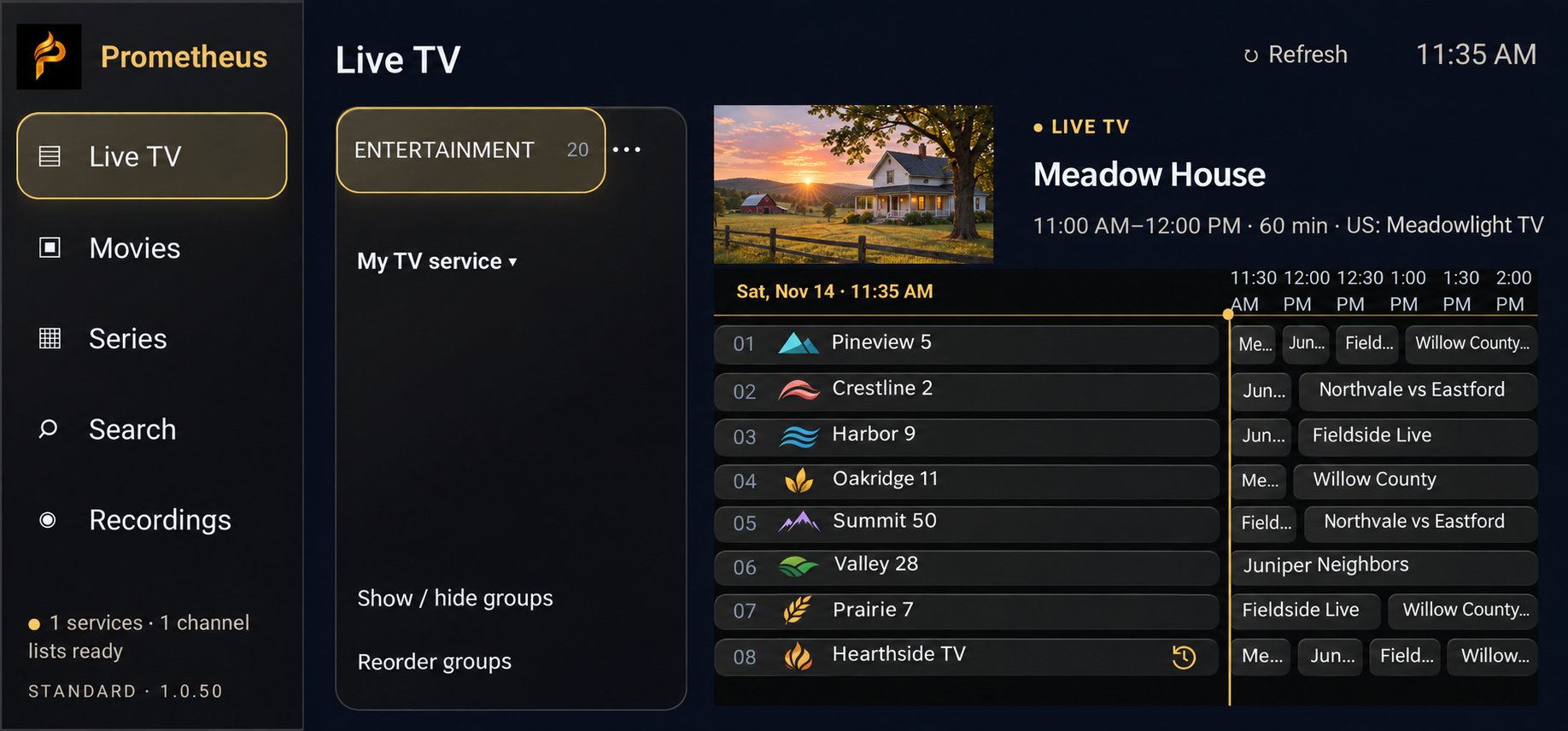
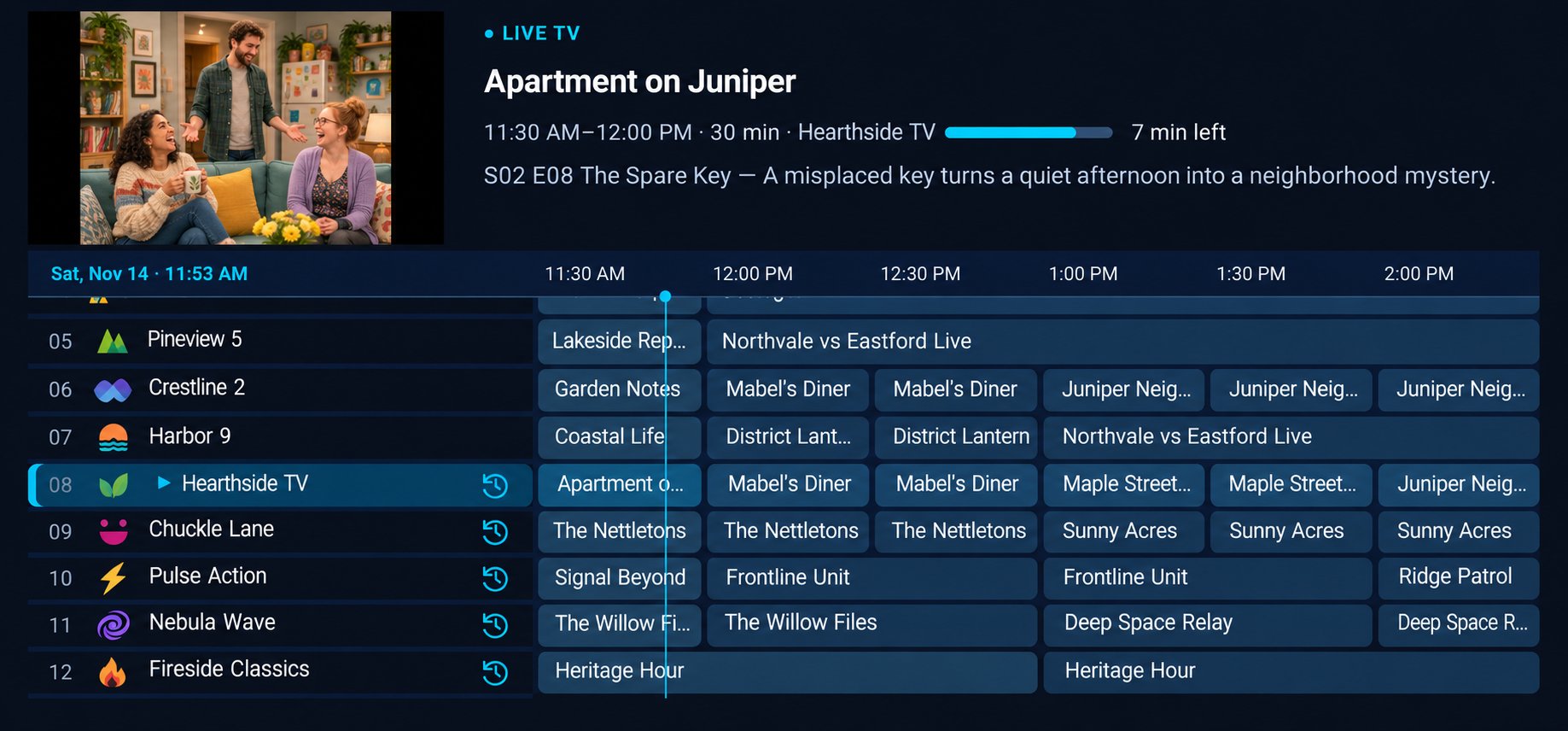
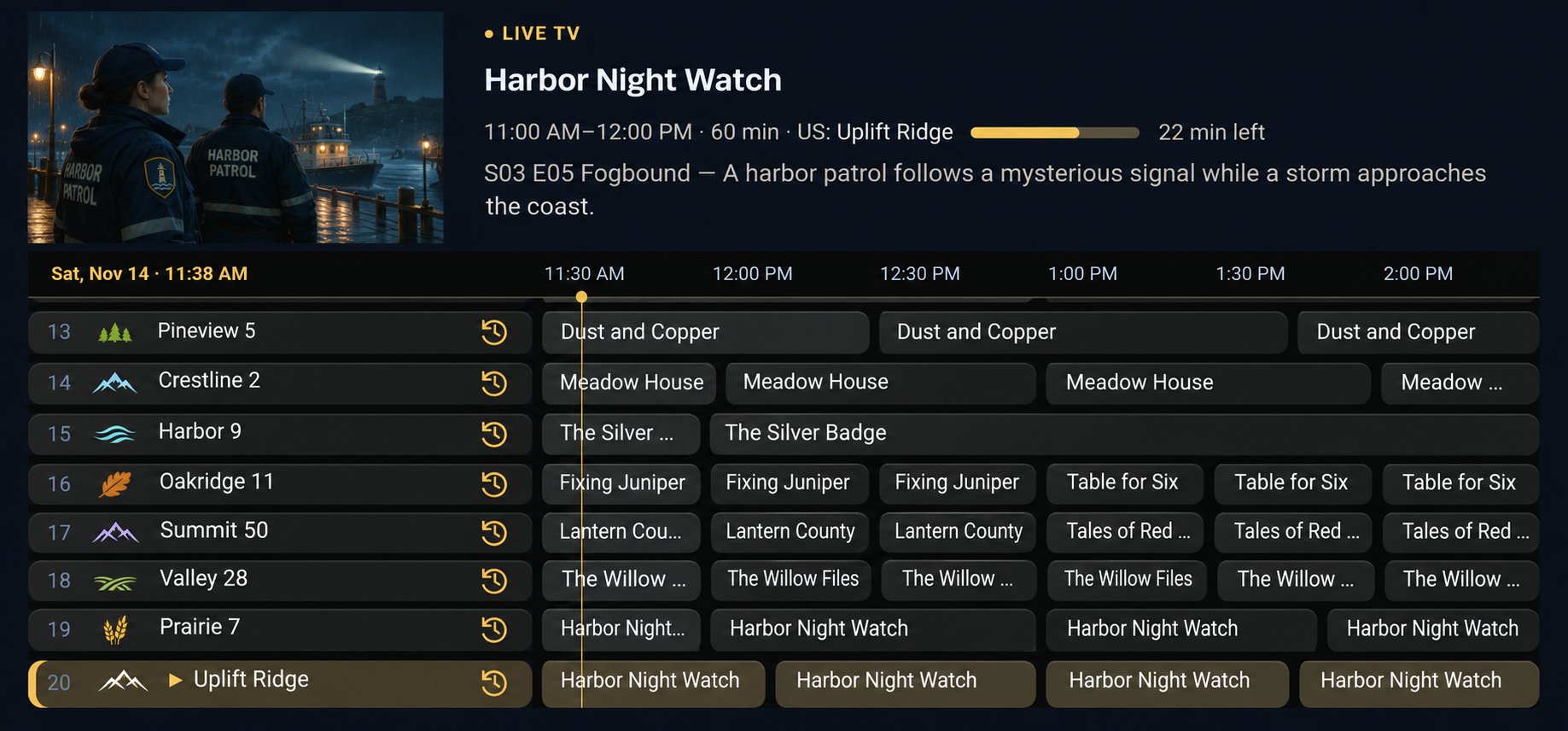
Preview a channel from the guide, then go fullscreen. The guide shows programme details, airtime, and minutes remaining — and Back normally returns you to your place in the guide. Use provider listings or add XMLTV and compressed XMLTV feeds, assign listings to channels or groups, adjust time offsets, and refresh one channel, a group, or the whole guide — downloads can be limited to visible or selected groups. With Catch Up, browse available past programmes and start eligible programmes from the beginning on supported channels.
Your Channels, Your Order
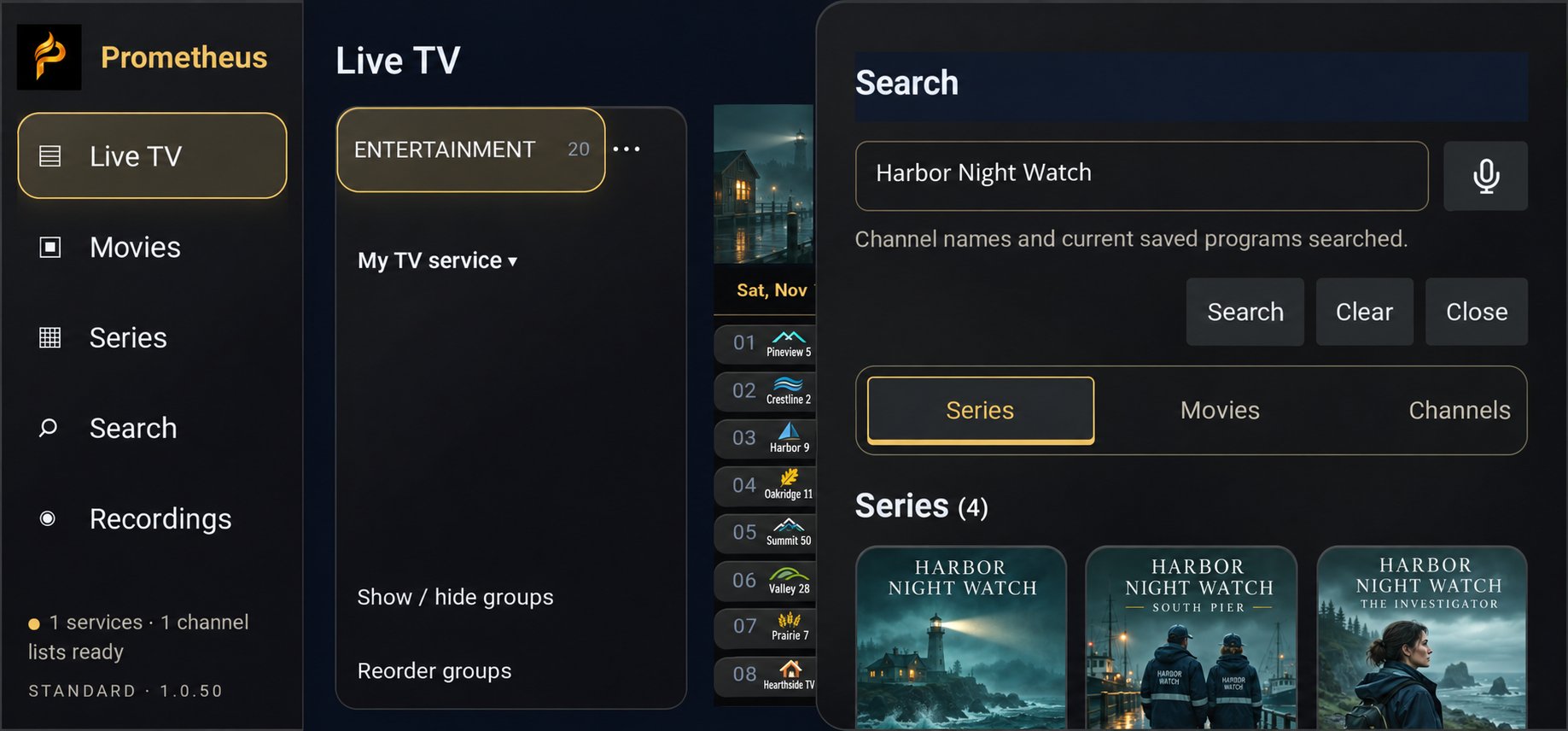
Build custom groups that mix channels from different services, copy channels in bulk, and reorder channels and groups the way you like them. Hide channels or groups — copied channels stay in your custom group even when the original group is hidden — and rename channels and provider groups, or remove selected channel-name prefixes. Jump back fast with Favorites, Recent channels, channel search, and saved programmes in My list, and hide or reorder movie and series categories separately for each provider.
Movies & Series
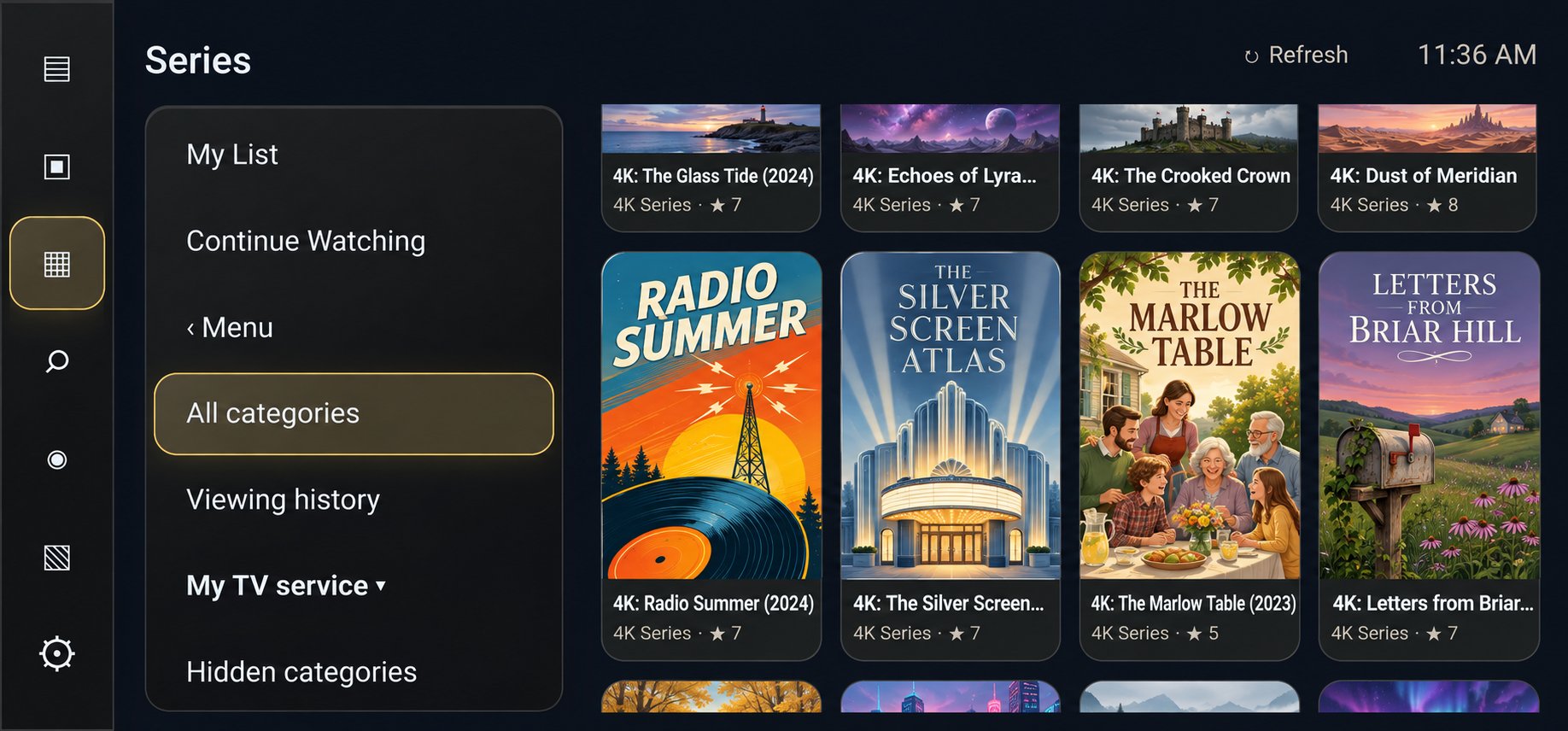
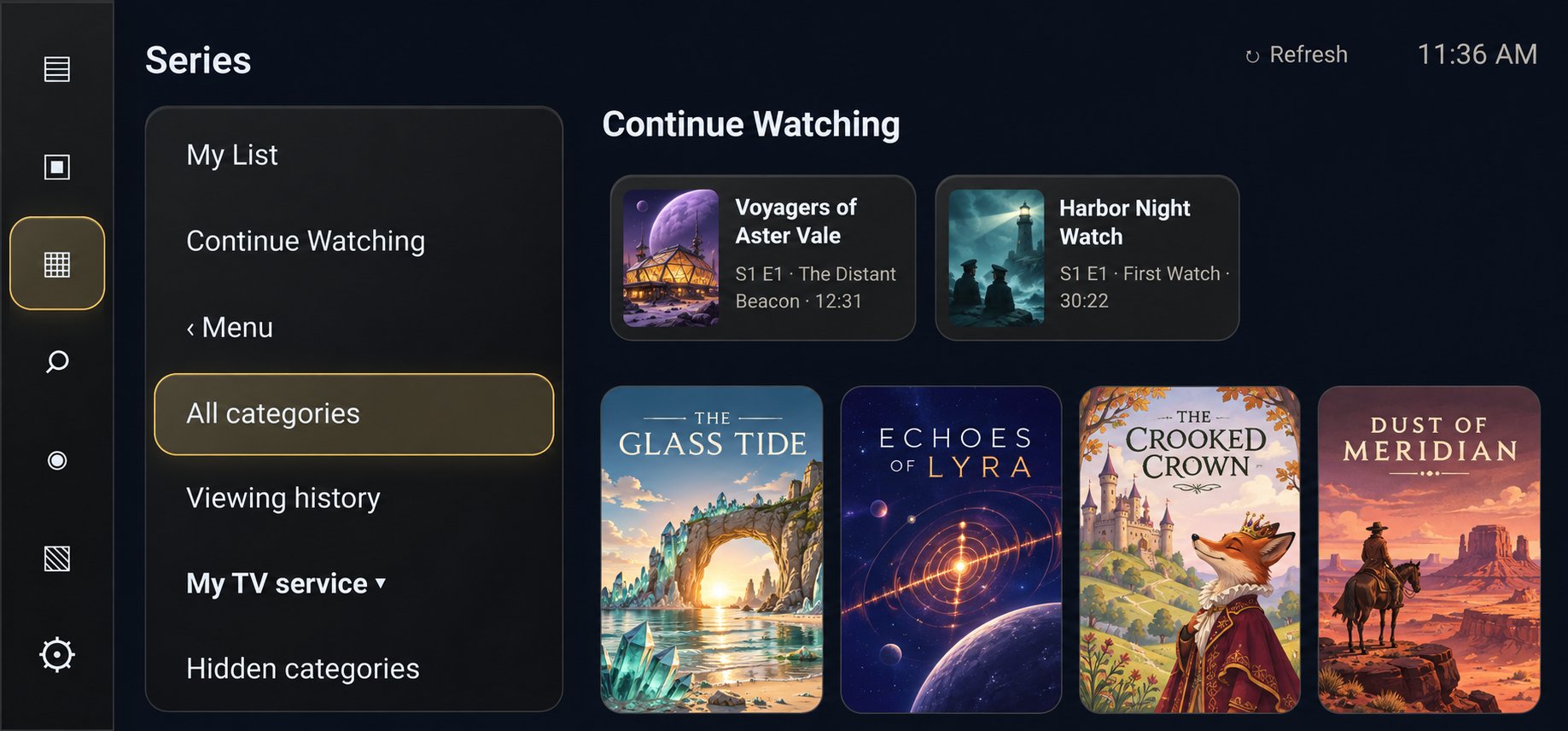
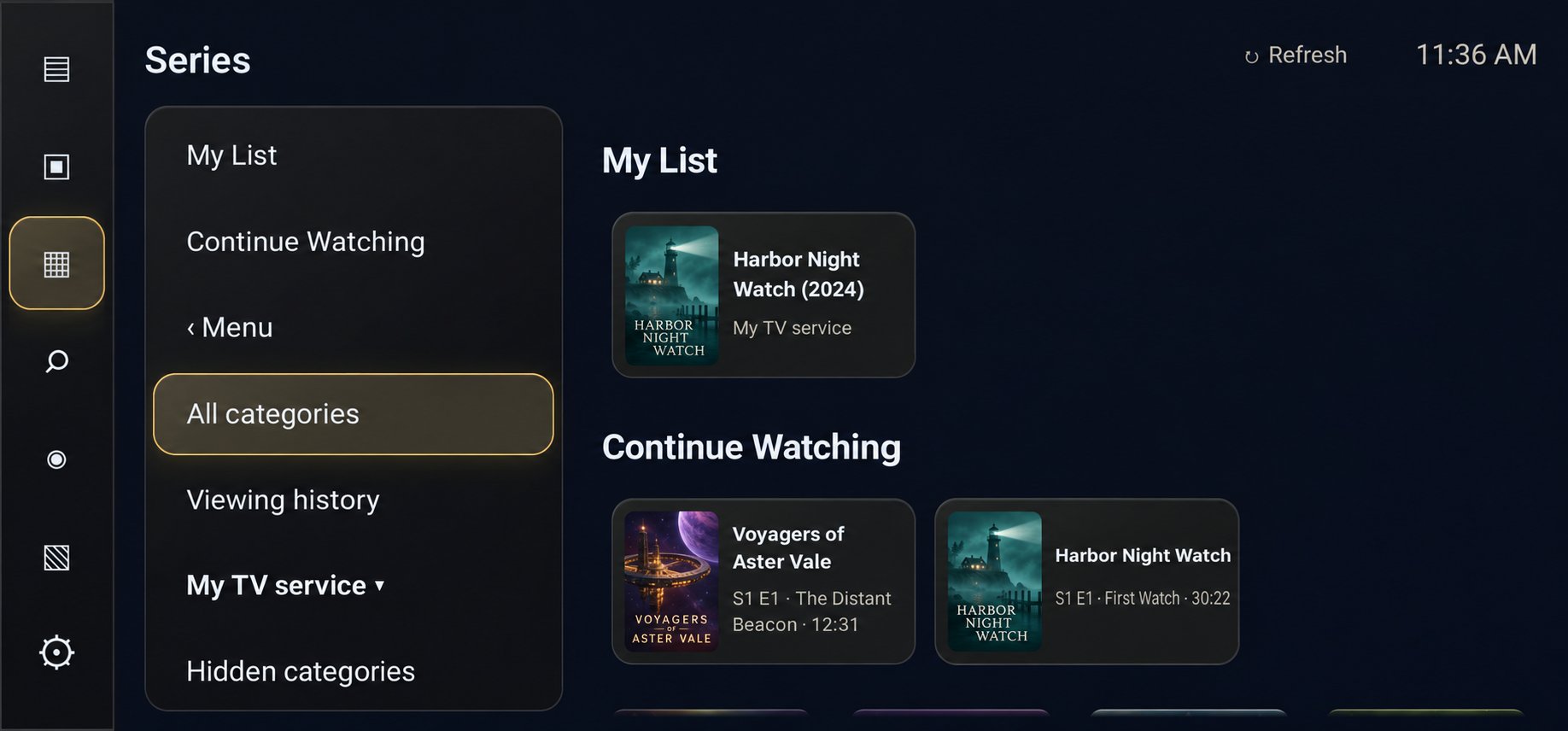
Browse your service's on-demand titles in poster grids with season tabs and More like this. Search by title or use voice search where supported. Continue Watching and local history pick up where you left off, and the next episode plays automatically when one ends. On a remote, moving Up from the recommendations back to the movie controls returns the details panel to the title and poster.
Recording & Storage
Record immediately, for a custom duration, or scheduled from the guide — with start and end padding, daily or weekly repeats, or future airings with the same title on the selected channel. Save to accessible local or removable storage, including USB or SD, or to a writable Windows PC or NAS share over your network (SMB 2 or 3).
Multiview & Playback
Watch two to four live streams at once in Multiview, use Android picture-in-picture on supported devices, or open a compatible external player. Fullscreen controls cover seeking, audio tracks, subtitles, programme details, recording, and stream information, and playback can be tuned to your setup: buffering, picture fit, audio delay, passthrough, decoder preference, deinterlacing, and seamless frame-rate matching where supported.
Made It Yours
Choose remote or touch controls, adjust guide density, hide channel numbers, and set interface and accent colours separately. Configure supported remote buttons and Back behaviour, start on Favorites or resume your last channel, and protect the app with parental PIN restrictions.
Backup & Restore
Export a settings-only or full backup as a portable .sqt file and restore it on a new device. Full backups may include your service credentials, so keep those files private.
Native VR Support — Included
The standard version of Prometheus includes native VR support on Meta Quest — no separate purchase needed for VR itself. Browse your guide and library in a floating panel in your space, then open focus view to expand playback to a large, curved screen in front of you. That native VR support is part of standard Prometheus.
Theater Edition — VR Theater Included
Theater Edition (1.1.6) is standard Prometheus across all your devices under one purchase — and it includes the VR theater. In VR it runs with the same panel, focus view, and controls, plus a toggle into the dedicated cinema: red seats and curtains, adjustable screen and lighting, seat switching, recentering. VR needs a supported Quest with current Horizon OS and OpenXR.
Trakt Integration
Trakt is available now. Connect your Trakt account in Settings → Services & connections → Manage Trakt connection for access to your Trakt watchlists and history, with progress sync for matched movies and episodes. Prometheus Player uses Trakt but is not endorsed or certified by Trakt. Prometheus and Trakt · Privacy policy
Bring your own service. Prometheus does the rest.
Prometheus is a player, not a TV service. You connect the playlist or service you already have, and Prometheus turns it into a proper big-screen experience.
Add your service
Sign in with Xtream Codes, connect a Stalker/Ministra portal, or load an M3U playlist. You can run several services side by side.
Build your guide
Organise channels into your own groups, set your favorites, and match guide listings so what's on is always a glance away.
Watch, catch up, record
Watch live, browse movies and series, catch up on what you missed where your provider supports it, and record to the storage you choose.
On the big screen — and in VR
A look at Prometheus on TV, its native VR support on Meta Quest, and Theater Edition with the VR theater included. The TV screens below are real screenshots of the Prometheus app — the channels, programmes, and titles shown in them are simulated content, created for illustration. Your screen will show your own channels and library.
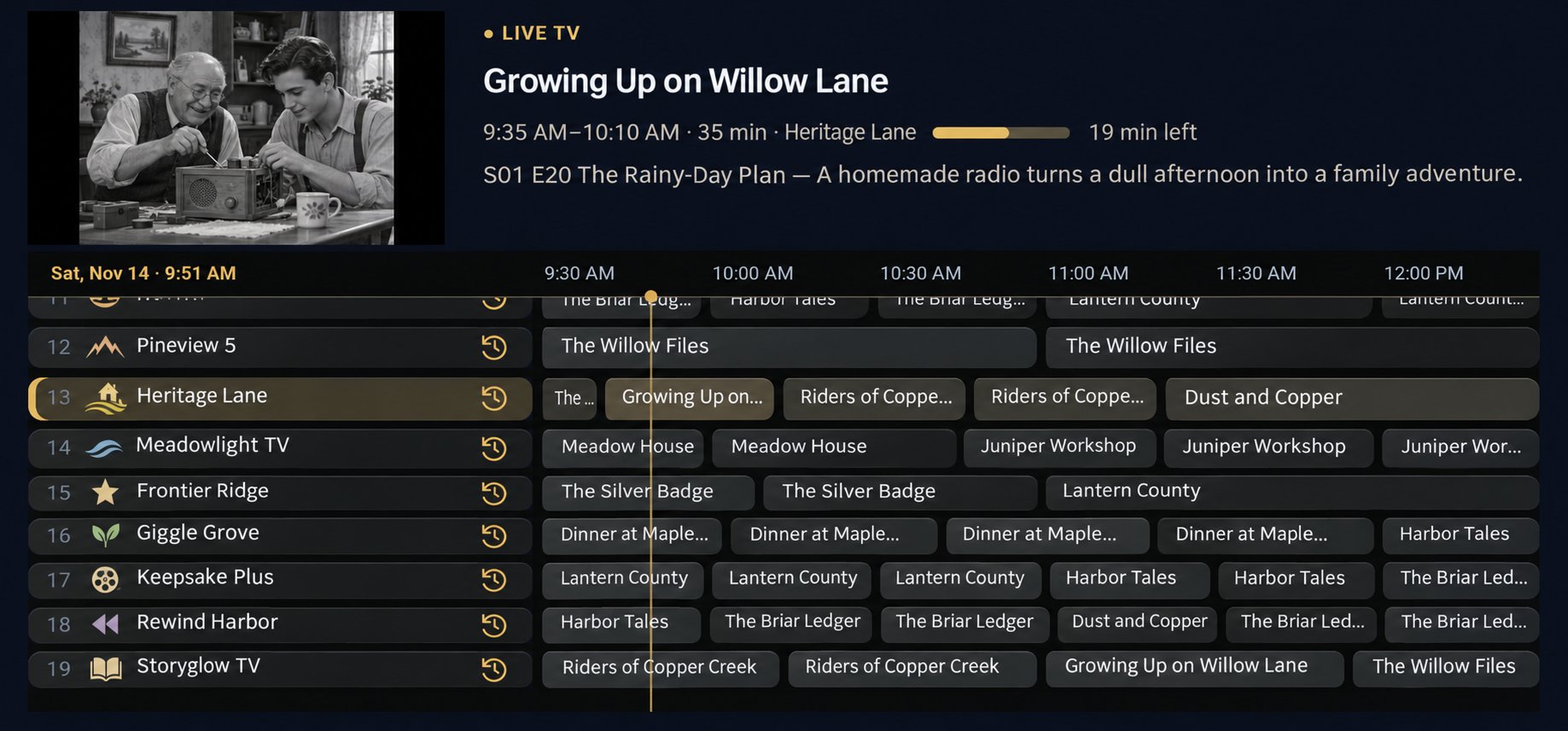
Live TV Guide. Preview a channel with one press of OK, see what's on now and what's next, and pick up Catch Up on supported channels — your place in the guide is kept when you come back.
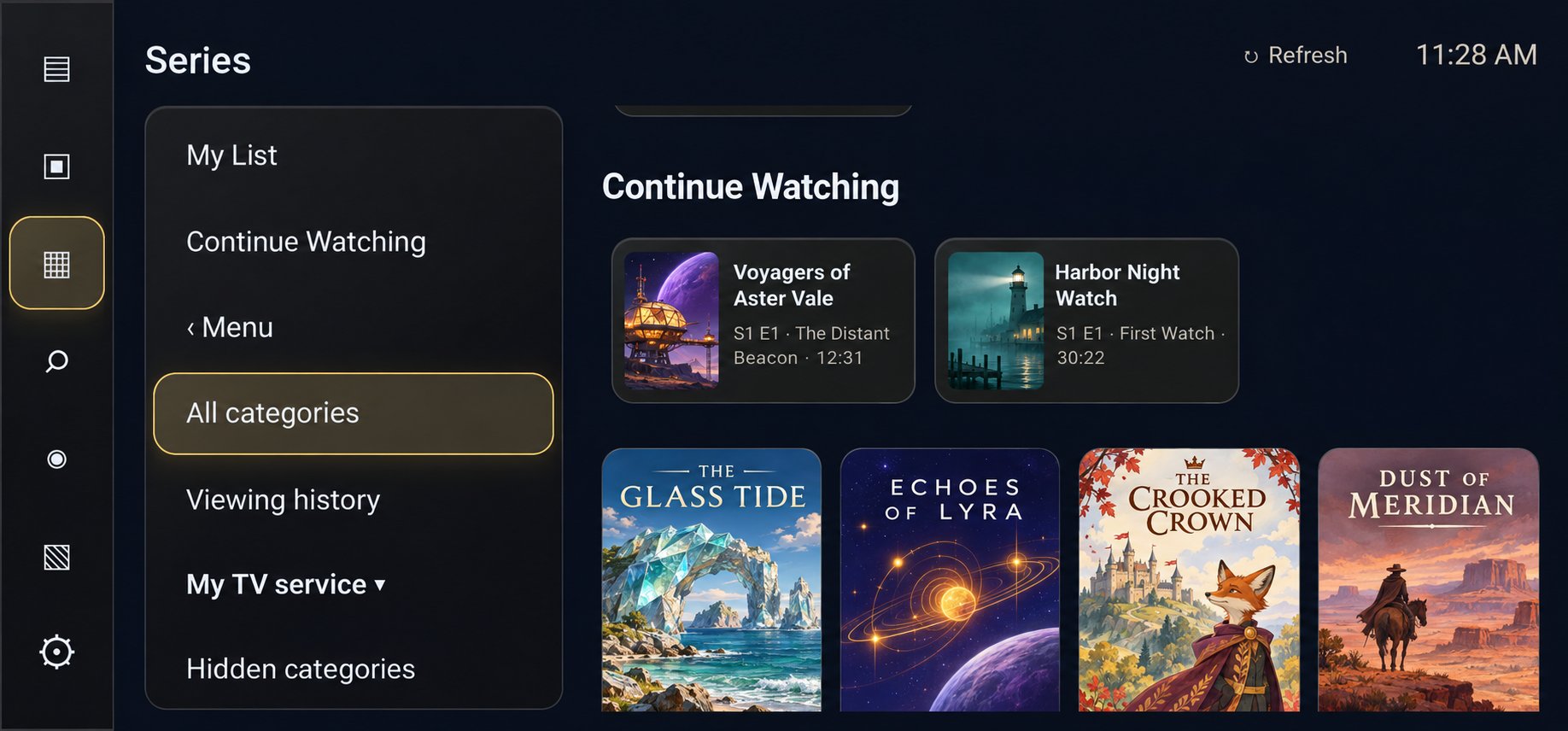
Movies & Series. Poster-grid browsing of the on-demand titles on your own service, with Continue Watching resuming at the exact point you stopped and seasons that expand in place.
LIVE · AUDIO ON LIVE
 LIVELIVE
Multiview. Two to four live streams on screen at once — follow the match, the news, and the weather together. Availability depends on your provider's stream limits and your device.
Wonders of Our Planet
S1 E4 · Mountain Realms — playing on the theater screen
Theater Edition — VR theater included. Theater Edition is standard Prometheus across all your devices under one purchase, plus a toggle into the dedicated cinema: red seats and curtains, adjustable screen and lighting, seat switching, and recentering. VR needs a supported Quest with current Horizon OS and OpenXR. The programme shown is sample artwork for illustration.
See Prometheus in action
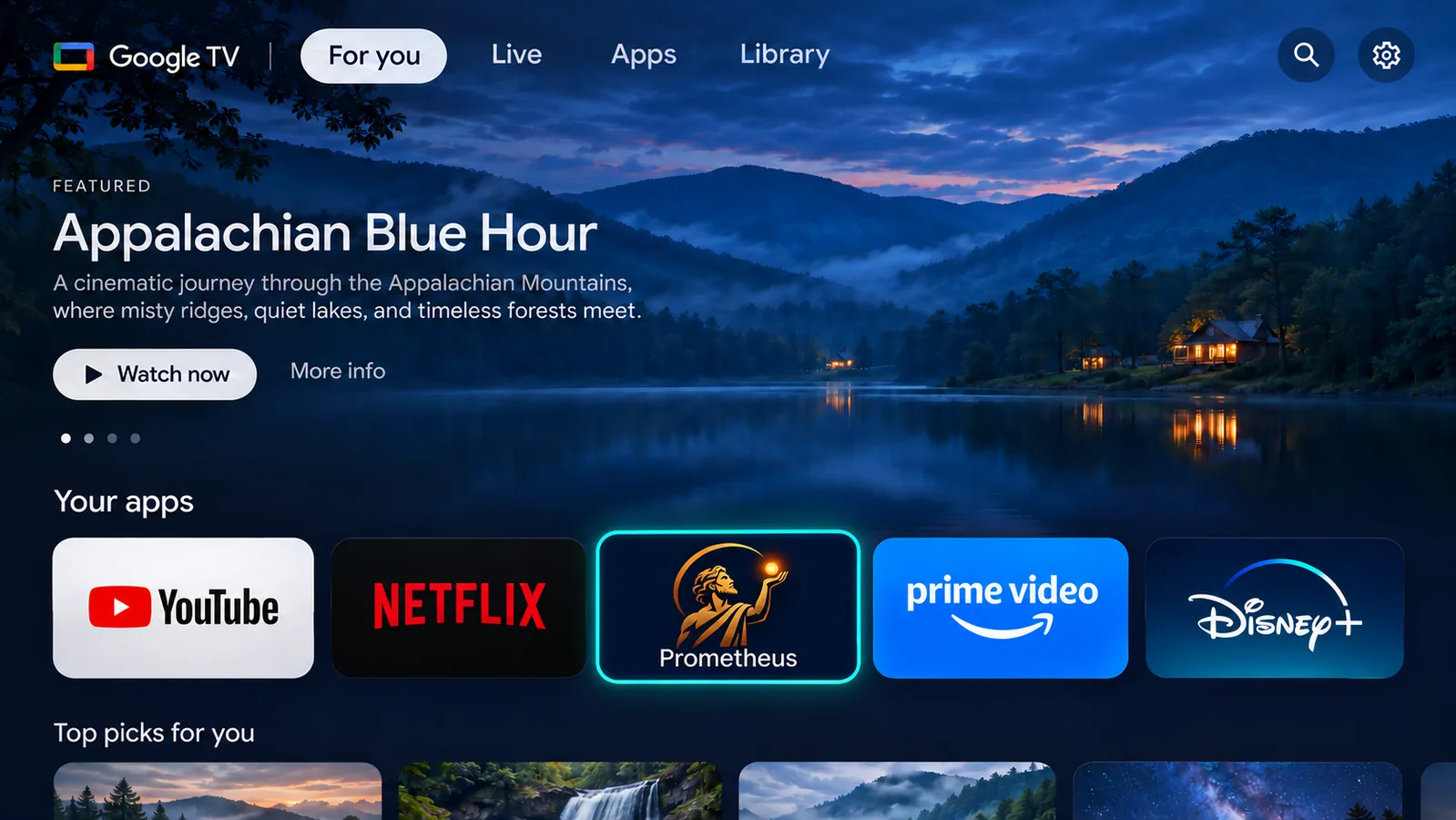
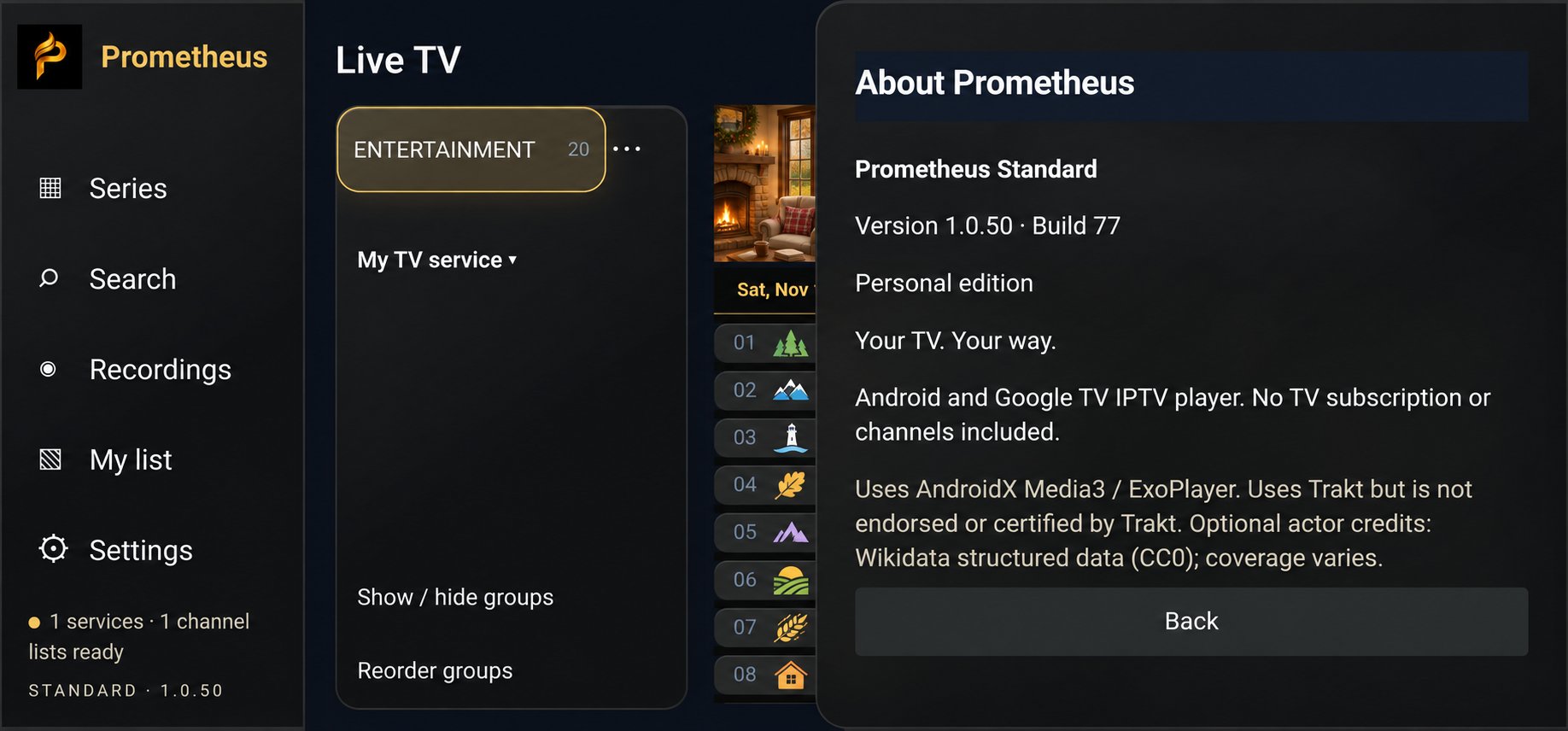
Prometheus where you'll actually meet it: on your TV's home screen and inside the app. The app screens below are real screenshots of Prometheus 1.0.52 — the channels, programmes, and titles shown in them are simulated content, not real listings.
Simple pricing — pay once, keep it for life
Pay once, no subscription. Standard is $14.99 lifetime; Theater Edition is $19.99 lifetime with the VR theater included. One licence covers up to 15 devices — no need to buy separate copies.
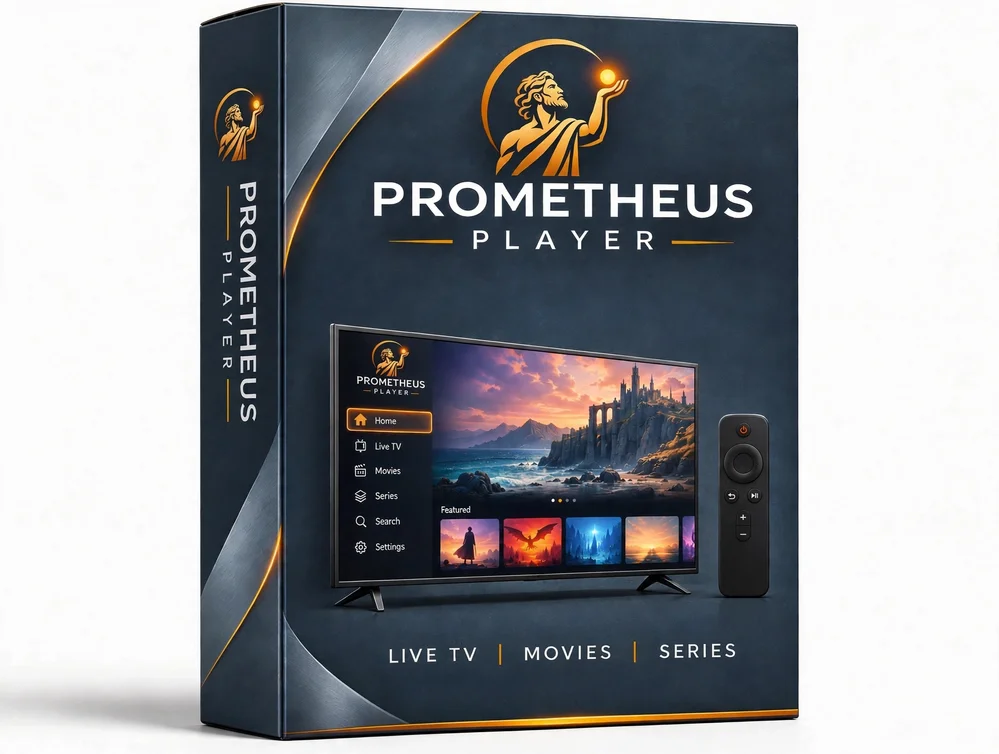
Prometheus
Standard 1.1.6 — the TV player for Android TV and Google TV, with native VR support included on Meta Quest.
One-time payment · No subscription
- One purchase, up to 15 devices — your TVs and Quest headsets under the one licence, no need to buy separate copies
- Native VR support included — floating panel and focus view's large curved screen on Meta Quest
- Live TV guide, Movies & Series, Catch Up, DVR, and Multiview — subject to your provider and device
- Player only — bring your own authorized service or playlist; no content is included
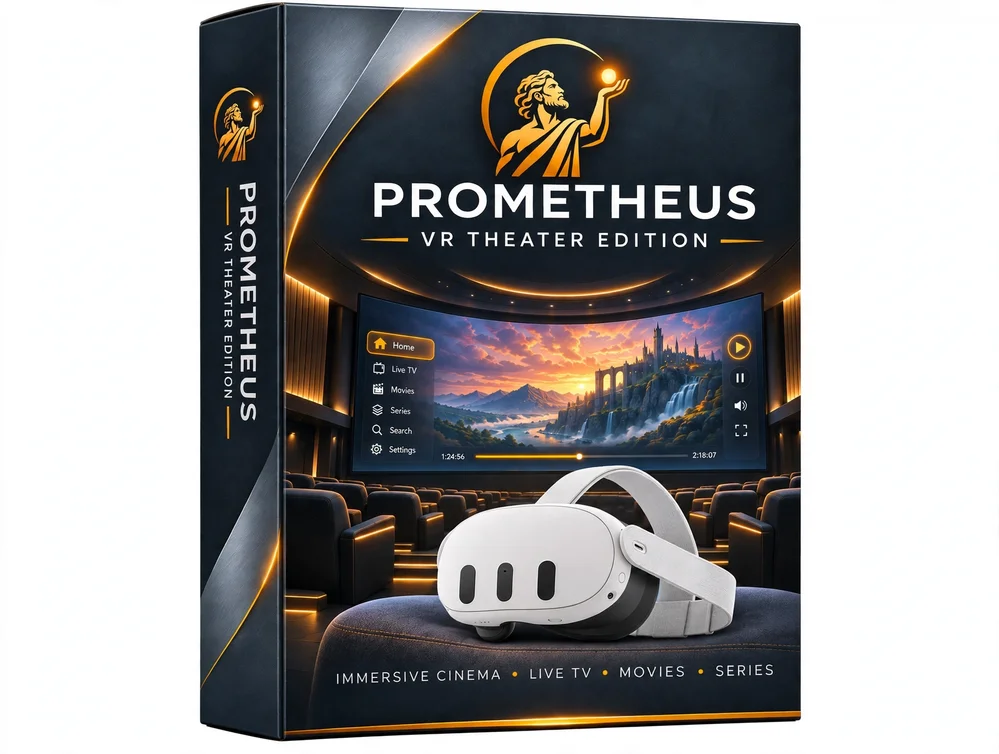
Prometheus Theater Edition
Theater Edition 1.1.6 — standard Prometheus across all your devices under one purchase, with the VR theater included.
One-time payment · No subscription
- One purchase, up to 15 devices — TV and Quest under the one licence, no need to buy separate copies
- VR theater included — everything in Standard, plus the theater
- Standard in VR, theater on toggle — same panel, focus view, and controls, plus the cinema: red seats and curtains, adjustable screen and lighting, seat switching, and recentering
- The theater requires a supported Meta Quest with current Horizon OS and OpenXR
$14.99 Standard · $19.99 Theater Edition: Both are lifetime licences for up to 15 devices — generous enough for a whole household, without open-ended sharing. Theater Edition simply adds the VR theater.
Try Prometheus free for 3 days
Not sure yet? Download the trial right here and put Prometheus through its paces on your own TV, with your own service — no purchase, no licence key, nothing to sign up for.
Free 3-day trial, limited features. The full version unlocks everything.
Sideload it the same way as the full version — see Download for what you'll need. When the trial ends, the full version is $14.99 lifetime.
Download Prometheus
Prometheus is on sale now through Gumroad. After you buy, Gumroad delivers the app file and your own licence key — in your receipt and in your Gumroad library. Current builds: Prometheus Standard 1.1.6 and Theater Edition 1.1.6. Pricing is set: Standard is $14.99 lifetime and Theater Edition is $19.99 lifetime with the VR theater included — one licence covers up to 15 devices.
Before you install
ONN Pro update: Version 1.1.6 fixes the ONN Pro performance issues. The separate ONN Pro build is no longer needed — the single Standard build now covers ONN Pro players.
- A TV or streamer running Android 8 or later — Android TV or Google TV, controlled with your remote.
- Your own service details — an Xtream Codes sign-in, a Stalker/Ministra portal, or an M3U playlist from a provider you're authorized to use. Prometheus ships with none of these.
- For VR, you'll need a Meta Quest headset — Standard includes native VR support on Quest (floating panel with focus view). Theater Edition (1.1.6, $19.99 lifetime) is the standard app across all your devices under one purchase, and it includes the VR theater; the theater needs a supported Quest with current Horizon OS and OpenXR.
After you buy
- Check your receipt. Gumroad delivers the app file and your own licence key — in your purchase receipt and in your Gumroad library.
- Install the app on your TV, streamer, or Quest.
- Enter your licence key on first launch to activate — one activation per device, up to 15 devices per licence.
- Add your service and watch. Connect your playlist or provider and start watching — live TV, movies, and series stream over the internet, so you'll need an active internet connection to your provider to play them.
Updates: new versions are delivered by replacing the file on Gumroad — just re-download the newest version from your Gumroad library or receipt link and install it. Your same licence key keeps working.
Support & questions
The questions people ask most about Prometheus.
ONN Pro update: Version 1.1.6 fixes the ONN Pro performance issues. The separate ONN Pro build is no longer needed — the single Standard build now covers ONN Pro players.
No. Prometheus is a player only — it includes no channels, subscriptions, playlists, or content. You connect your own authorized playlist or service, and everything you watch comes from there.
Xtream Codes services, Stalker/Ministra portals, and M3U playlists. You can add more than one service and mix their channels in your own custom groups, and you can also add a personal channel from a stream URL or a local video file.
Android TV and Google TV devices running Android 8 or later, and Meta Quest headsets for VR. On TV it's designed for the big screen and driven by your remote; touch controls are also supported. The theater in Theater Edition requires a supported Quest with current Horizon OS and OpenXR.
Yes — record immediately, for a custom duration, or scheduled from the guide, with start and end padding, daily or weekly repeats, or future airings with the same title on the selected channel. Recordings can go to accessible local or removable storage, including USB or SD, or a writable network share on a Windows PC or NAS (SMB 2 or 3). Whether a stream can be recorded depends on your provider's limits and your storage.
Catch Up lets you browse available past programmes and start eligible programmes from the beginning on supported channels. Coverage depends entirely on your provider, so some channels and programmes won't have it.
Yes. Export a settings-only or full backup as a portable .sqt file and restore it on the new device. A full backup may include your service credentials, so store it somewhere private.
Yes. Native VR support is included in Standard on Meta Quest — browse in a floating panel in your space, and use focus view to expand playback to a large, curved screen. Theater Edition adds the VR theater on top (see below).
The VR theater. Theater Edition (1.1.6) is standard Prometheus across all your devices under one $19.99 purchase — no need to buy two — and it includes the theater: a dedicated cinema with red seats and curtains, adjustable screen and lighting, seat switching, and recentering. It needs a supported Quest with current Horizon OS and OpenXR.
Yes. Trakt integration is available now — connect your Trakt account in Settings → Services & connections → Manage Trakt connection to access your Trakt watchlists and history and sync progress for matched movies and episodes. See Prometheus and Trakt and the privacy policy. Prometheus Player uses Trakt but is not endorsed or certified by Trakt.
Yes — a free 3-day trial with limited features, downloadable right here on this site. No purchase and no licence key needed. When you're ready for everything, the full version is a one-time payment and unlocks all features. Get the free trial.
Standard is $14.99, paid once — a lifetime licence for up to 15 devices. No subscription. Theater Edition is $19.99 lifetime and includes the VR theater. Either way, one licence covers up to 15 of your devices — no need to buy separate copies.
Every licence covers up to 15 devices. If you have replaced a TV box or factory-reset one, you can release its activation yourself — no need to contact us. Visit Manage Your Licence, enter your licence key, and free the slot.
Still stuck?
A dedicated support contact for Prometheus is being set up and will be posted here. In the meantime, the answers above cover the most common setup questions — service connection, recording storage, and Catch Up coverage.